- You have no items in your shopping cart
- Continue Shopping


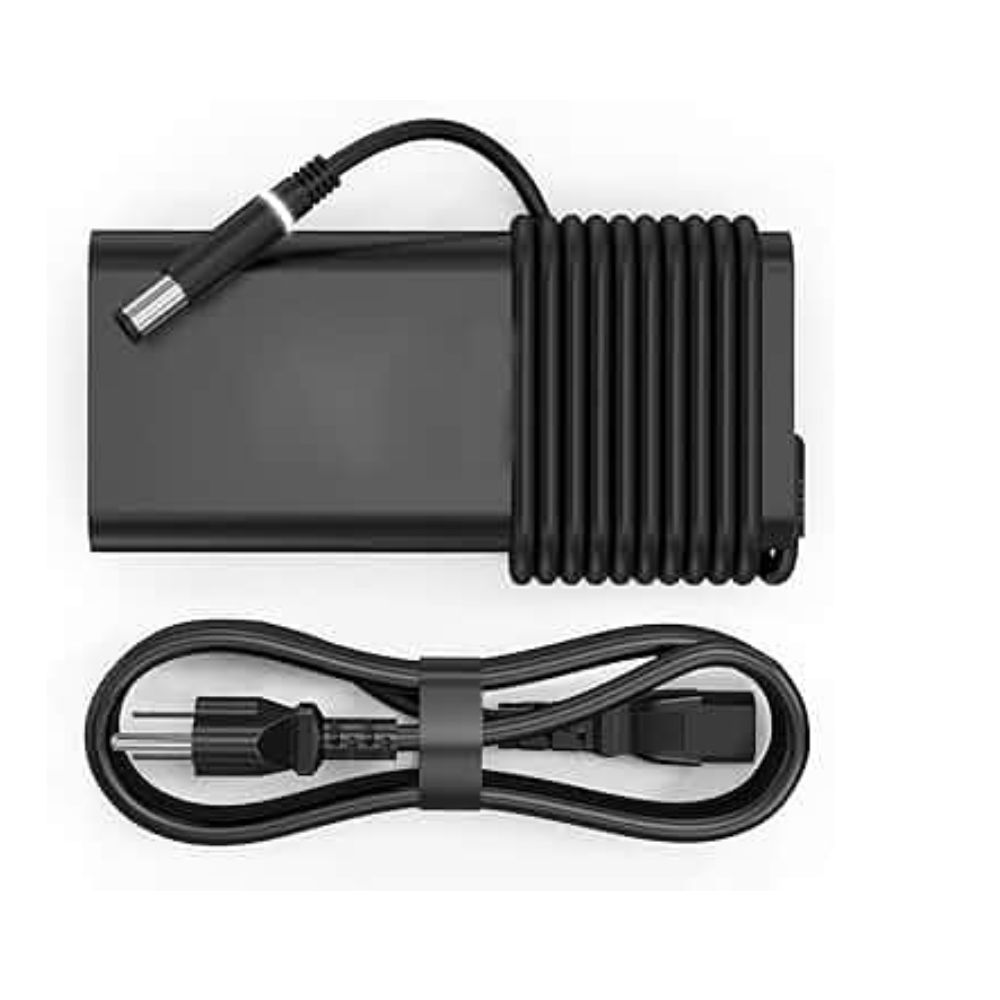
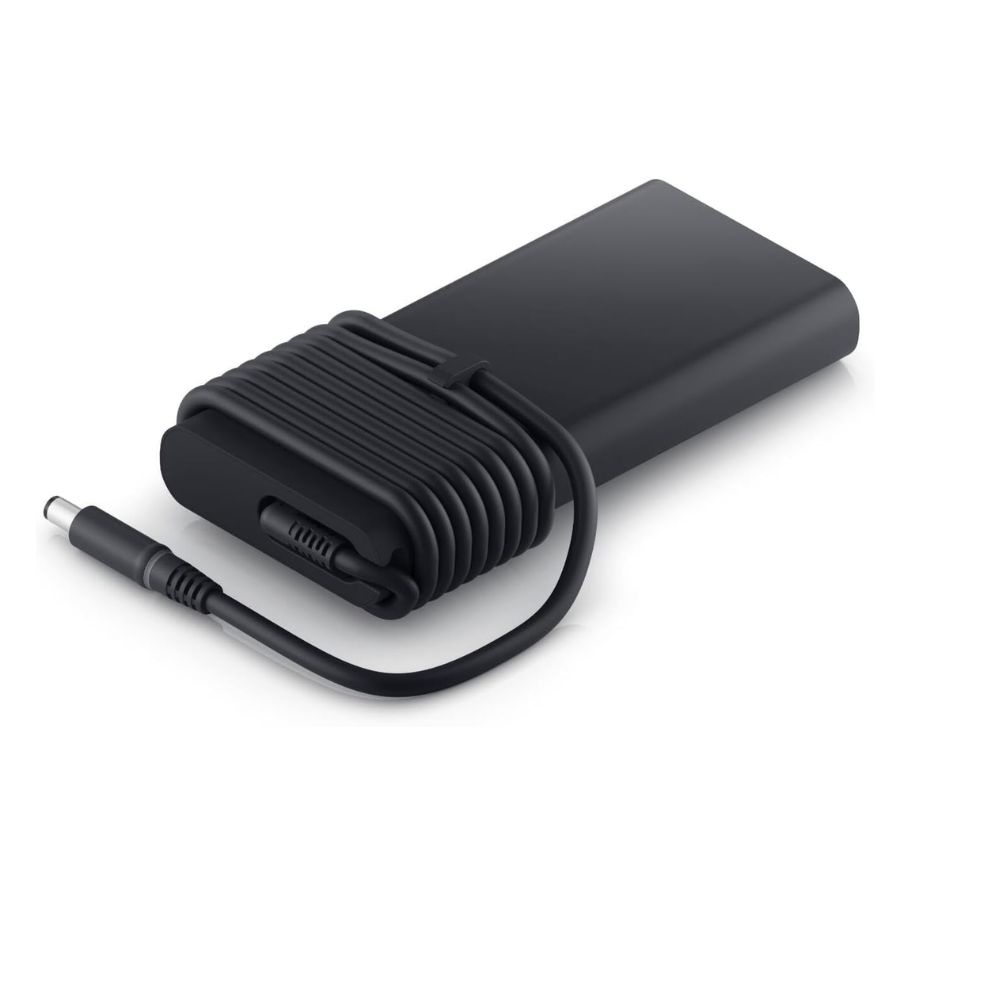
Charger for Dell Docking Station K20A / K21A / K22A – 240W 19.5V 12.3A
KSh 4,500.00
Key Specifications
- Type: Dell High-Power Docking Station AC Adapter
- Power Output: 240W
- Voltage: 19.5V DC
- Current: 12.3A
- Connector Type: 7.4mm × 5.0mm (Big Pin with Centre Pin)
- Compatibility: Dell Docking Stations K20A / K21A / K22A and other Dell 240W docking systems
- Condition: Brand new replacement charger
- Color: Black
- Includes: Charger + Power Cord
Order Via WhatsApp
Charger for Dell Docking Station K20A / K21A / K22A – 240W: Overview
This Dell 240W docking station charger is a high-capacity power adapter designed for Dell docking stations and high-performance workstation setups that require stable, continuous power delivery.
It delivers 19.5V at 12.3A (240W), ensuring sufficient power to run connected laptops, peripherals, external displays, and accessories through Dell docking solutions.
The 240W Dell adapter platform is commonly used with performance docks and workstations, featuring a 7.4mm × 5.0mm barrel connector for secure and reliable power transfer.
Charger for Dell Docking Station K20A / K21A / K22A – 240W: Price in Kenya
| Product | Price (KSh) |
|---|---|
| Dell Docking Station 240W Charger + Cord | 4,500 |
Charger for Dell Docking Station K20A / K21A / K22A – 240W: Full Specifications
| Specification | Details |
|---|---|
| Type | AC Power Adapter |
| Power Output | 240W |
| Voltage | 19.5V DC |
| Current | 12.3A |
| Connector | 7.4mm × 5.0mm Barrel Pin |
| Compatibility | K20A / K21A / K22A |
| Condition | Brand new replacement |
| Color | Black |
| Includes | Charger + Power Cord |
Charger for Dell Docking Station K20A / K21A / K22A – 240W: Design & Build
- Heavy-duty high-capacity construction
- Heat-resistant casing for continuous operation
- Reinforced barrel connector for stable docking connection
- Built for workstation and multi-device environments
Charger for Dell Docking Station K20A / K21A / K22A – 240W: Performance
- Stable 240W high-power output
- Supports multiple peripherals via docking station
- Reliable for workstation and enterprise setups
- Consistent voltage under heavy load
Charger for Dell Docking Station K20A / K21A / K22A – 240W: Safety Features
- Over-voltage protection
- Over-current protection
- Short-circuit protection
- Over-temperature protection
Charger for Dell Docking Station K20A / K21A / K22A – 240W: Compatibility
- Dell Docking Station K20A / K21A / K22A
- Dell Thunderbolt and Performance Docks (select models)
- Dell Precision workstations with docking setups
- Dell Latitude performance docking environments
- Other systems requiring 240W 19.5V 12.3A (7.4mm × 5.0mm)
Charger for Dell Docking Station K20A / K21A / K22A – 240W: Features & Benefits
- High wattage for full docking support
- OEM-compatible stable performance
- Reliable for multi-device connectivity
- Durable long-life build
- Ideal for enterprise and workstation use
Charger for Dell Docking Station K20A / K21A / K22A – 240W: Ideal Use Case
- Office docking stations
- Multi-monitor workstations
- Engineering and design setups
- Enterprise IT environments
- Replacement or backup dock power supply
Charger for Dell Docking Station K20A / K21A / K22A – 240W: Pros & Cons
| Pros | Cons |
|---|---|
| High 240W output | Bulky and less portable |
| Supports full docking setups | Not USB-C |
| Stable under heavy load | Higher power consumption |
| Durable build | Requires compatible dock |
Charger for Dell Docking Station K20A / K21A / K22A – 240W: FAQs
Q: Can I use a 180W charger instead?
A: Not recommended—it may not provide enough power for full docking functionality.
Q: Can I use this directly on a laptop?
A: Yes, if the laptop supports a 240W 7.4mm connector, but it is primarily designed for docking stations.
Q: Is this USB-C?
A: No, it uses a 7.4mm × 5.0mm barrel connector with centre pin.
Charger for Dell Docking Station K20A / K21A / K22A – 240W: Conclusion
The Dell 240W docking station charger is a powerful and reliable solution for enterprise docking environments. At KSh 4,500, it provides stable high-wattage power, durability, and consistent performance for demanding workstation setups.