- You have no items in your shopping cart
- Continue Shopping
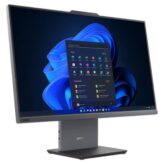


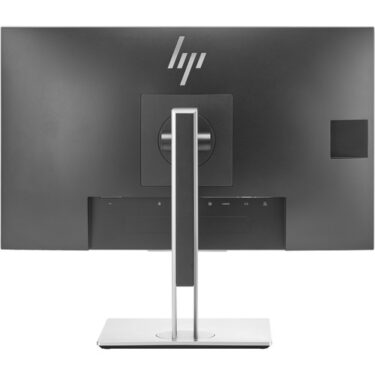
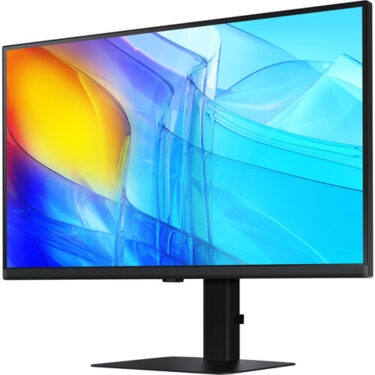
Dell E2725H 27″ FHD Monitor
KSh 25,000.00
Display: 27″ Full HD (1920 × 1080), VA panel
Refresh Rate: Up to 75 Hz
Response Time: 5 ms (fast) / 8 ms (standard)
Brightness: ~300 cd/m² (typical)
Contrast Ratio: ~3000:1
Color Support: 16.7 million colours
Viewing Angles: 178° horizontal / 178° vertical
Ports: 1 × DisplayPort 1.2, 1 × VGA
Adjustability: Tilt (–5° to +21°)
VESA Mount: 100 × 100 mm compatible
Features: Anti-glare screen, Comfort View (eye-comfort technology), cable lock slot
Design: Black narrow-bezel panel
Weight (with stand): ~4.84 kg
Order Via WhatsApp
Dell E2725H 27″ FHD Monitor
The Dell E2725H 27″ FHD Monitor from Dell is a versatile and affordable display geared toward professionals, students, and everyday users who need reliable screen real estate without compromising on clarity and comfort. This 27-inch Full HD monitor offers generous viewing area, ergonomic adjustability, and straightforward connectivity ideal for productivity and multimedia tasks at home or in the office.
Dell E2725H 27″ FHD Monitor Key Features
-
27″ Full HD (1920 × 1080) resolution
-
IPS panel for wide viewing angles and accurate colors
-
Slim bezels for improved multi-screen setups
-
Height, tilt, swivel, and pivot adjustable stand
-
Anti-glare screen for reduced eye strain
-
Multiple input options (HDMI & DisplayPort)
-
Energy-efficient design
Dell E2725H 27″ FHD Monitor Specifications
| Specification | Details |
|---|---|
| Screen Size | 27 inches |
| Resolution | 1920 × 1080 (Full HD) |
| Panel Type | IPS |
| Aspect Ratio | 16:9 |
| Brightness | ~250 cd/m² (typical) |
| Contrast Ratio | 1000:1 (typical) |
| Refresh Rate | 60Hz |
| Inputs | HDMI 1.4, DisplayPort 1.2 |
| USB Hub | No |
| Speakers | Optional (varies by region) |
| VESA Mount | 100 × 100 mm |
Dell E2725H 27″ FHD Monitor Price Table
| Product | Price Range |
|---|---|
| Dell E2725H 27″ FHD Monitor | KSh 25,000 – 30,000 |
Dell E2725H 27″ FHD Monitor Design and Build
-
Sleek and minimalist professional design
-
Narrow bezels for seamless multi-monitor setups
-
Sturdy base with robust build quality
-
Matte anti-glare coating for comfortable viewing
-
Adjustable stand (tilt, height, swivel, pivot)
-
VESA mount compatible (100 × 100 mm)
Dell E2725H 27″ FHD Monitor Performance
-
Clear and sharp image quality with Full HD resolution
-
Consistent colors and wide viewing angles with IPS panel
-
Stable motion handling for everyday tasks
-
Smooth multitasking with more screen space
-
Efficient power usage for energy savings
Dell E2725H 27″ FHD Monitor Ideal User Cases
-
Office professionals handling documents, spreadsheets, email
-
Students for research, assignments, and online classes
-
Home users for streaming and general computer use
-
Small business workstations
-
Multi-monitor productivity setups
Dell E2725H 27″ FHD Monitor Safety Measures
-
Anti-glare panel to reduce eye irritation
-
Stable ergonomic stand to prevent tipping
-
Power-efficient design to minimize overheating
-
Flicker-free screen with ComfortView (where supported)
-
Complies with energy and safety standards
Dell E2725H 27″ FHD Monitor Pros and Cons
| Pros | Cons |
|---|---|
| Large 27″ screen | No built-in USB hub |
| IPS panel with wide views | 60Hz refresh rate |
| Adjustable ergonomic stand | Not ideal for high-end gaming |
| Slim bezels | No built-in speakers (in some variants) |
| Affordable price | Full HD only |
Dell E2725H 27″ FHD Monitor Frequently Asked Questions
1. Is this monitor good for office use?
Yes — it offers a large screen, clear Full HD display, and ergonomic adjustability ideal for productivity tasks.
2. Can I mount it on a wall?
Yes — it supports VESA 100 × 100 mm for wall or arm mounting.
3. Does it have USB-C or a USB hub?
No — connectivity is HDMI and DisplayPort only, without built-in USB hub.
4. Is it suitable for gaming?
It can handle casual gaming, but it’s designed primarily for work and multimedia.
5. Does it come with built-in speakers?
Speakers vary by region; in many regions they may not be included.
Conclusion
The Dell E2725H 27″ FHD Monitor delivers excellent screen size and reliable performance at an accessible price point, making it a great choice for professionals, students, and everyday computer users. Its ergonomic design and IPS panel help enhance comfort and visual clarity during long hours of use, while its simple connectivity keeps setups easy and efficient. While it lacks advanced gaming features or USB-C connectivity, it remains a practical, cost-effective display for productivity and general multimedia use.